Installing/64bit Alpha: Difference between revisions
Jump to navigation
Jump to search
| Line 5: | Line 5: | ||
==Mac Instructions== | ==Mac Instructions== | ||
# Unzip the file if that hasn't already been done | # Unzip the file if that hasn't already been done | ||
# Drag the app | # Drag the app onto the "Desktop" (not the "Applications" folder, cuz you don't want to replace the 32bit version which lives there) | ||
# | # If the Finder asks if you want to replace the one that is there, say yes. This is where you launch kJams 64bit from. | ||
# First time only: | # First time only: | ||
## go to apple->system prefs->privacy & security | ## go to apple->system prefs->privacy & security | ||
Revision as of 16:33, 24 May 2021
The Alpha version does not come with an installer, it's just a Zip file.
If you just download it from the web site, you first must unzip it.
Mac Instructions
- Unzip the file if that hasn't already been done
- Drag the app onto the "Desktop" (not the "Applications" folder, cuz you don't want to replace the 32bit version which lives there)
- If the Finder asks if you want to replace the one that is there, say yes. This is where you launch kJams 64bit from.
- First time only:
- go to apple->system prefs->privacy & security
- click the lock icon, enter your password, hit okay
- click the "privacy" tab, on the left, scroll down to "Full disk access"
- drag the app from the finder into the list on the right
- double click the kJams app icon
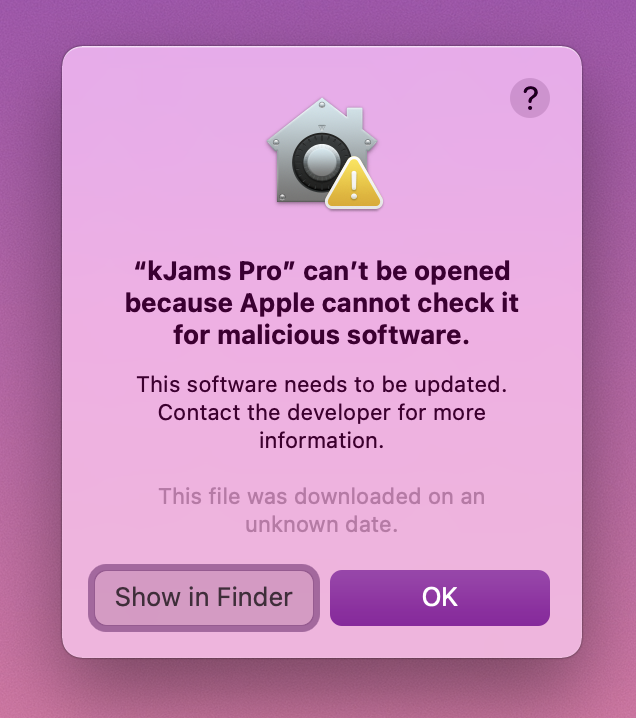
- it will fail to launch, claiming that the OS can't test for malicious software, click ok
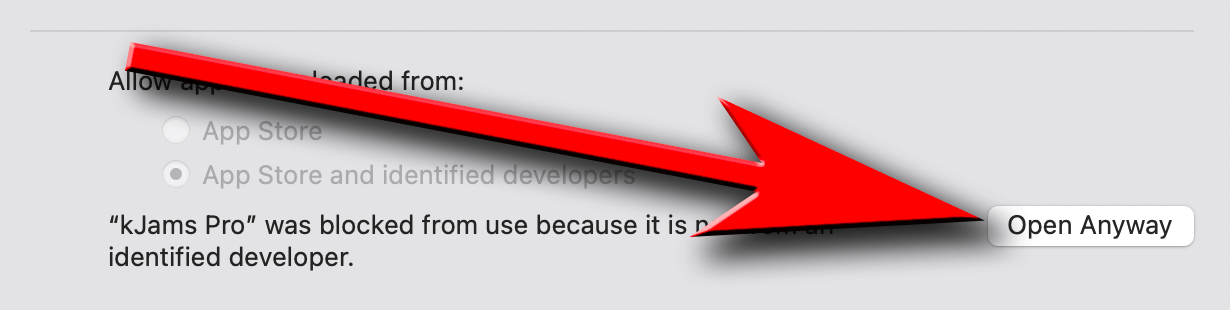
- in the system prefs panel, click back on the "general" tab
- click on the "Allow Anyway" button, and kJams will re-open
- if you get a zillion asserts about "GetCatInfoBulk" force quit, let me know, and try again
Windows Instructions
- Unzip the file if that hasn't already been done
- Drag the app into the "Program Files" folder
- When Windows Explorer says there are files with the same name, click "Replace"
- First time only:
- To create a "Shortcut File" follow these instructions.
- Install the K-Lite Codec pack for h.264 playback
- you must enable the bonjour service manually